01
In-place Text Editing
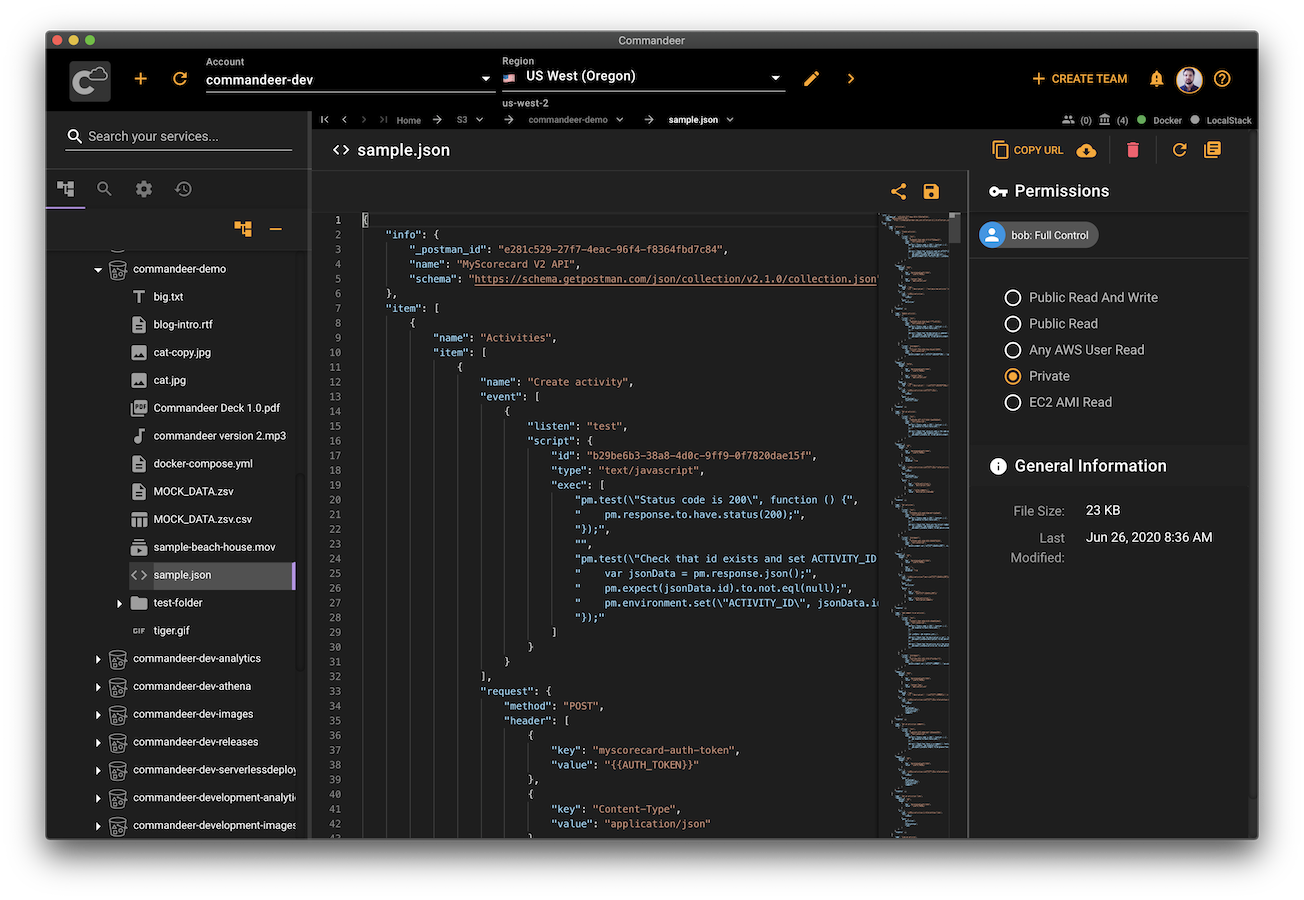
Edit the contents of a text file directly in the app and save it to S3. Works with csv, json, yml, and all other basic text based files.
Edit the contents of a text file directly in the app and save it to S3. Works with csv, json, yml, and all other basic text based files.
Preview your gifs, videos, and audio files. Commandeer let's you manage ALL your media files.
File system style treeview access to your buckets, folders, and files. Just like it should be.
Drag and drop multiple files to upload, download files onto your local machine. Managing your files on S3 just got a lot easier.
No more surprises. Easily see all your file permissions. All uploads are defaulted to private. Edit permissions with ease.
See your Lambda connections in system diagrams as well as in the treeview. Trigger S3 to Lambda invocations manually and instantly see the corresponding CloudWatch Logs.
No more viewing your local S3 files in the terminal. Manage your S3 files on LocalStack the same.
Draw and write on images to help communicate your ideas in a visual way.
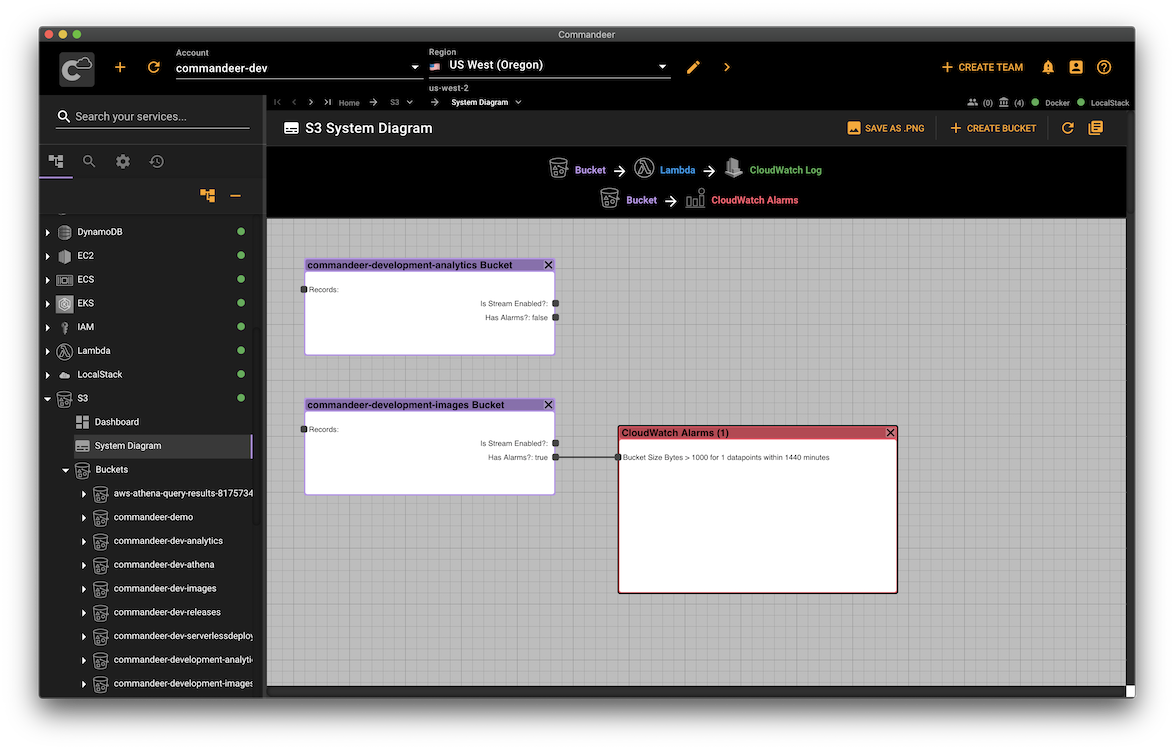
Visualize your S3 infrastructure and how your buckets interact with CloudWatch Alarms and Logs, Glue Crawlers, Lambdas, and Athena Data Lakes.
Built by developers for developers, Commandeer is designed to provide the best experience working with AWS S3. We refined each piece of this experience to perfection. It has simple and efficient navigation and powerful file management tools for the modern Cloud.
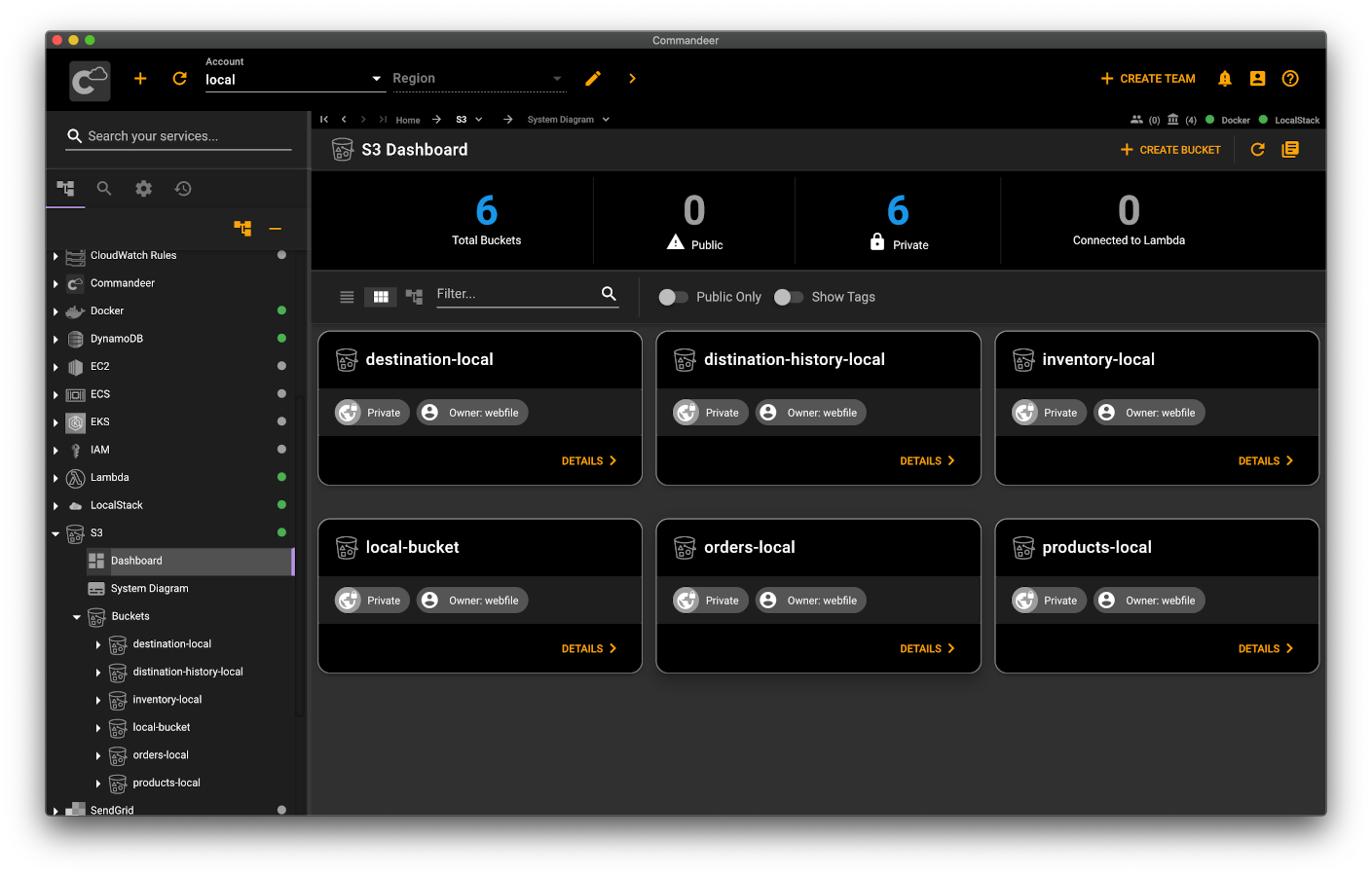
Want to manage your S3 files locally? Commandeer seamlessly integrates with LocalStack. Just switch the account to local, and use the same UI to access your local S3 files. It works the exact same way as for your cloud account.
Visualize and test your bucket Lambda connections. See the connections between your buckets, CloudWatch Alarms, and CloudWatch Logs. Download and share system diagrams with your team.