01
Intuitive UI
Built by developers for developers, you can manage your DynamoDB tables and data from a beautifully designed and efficient UI effortlessly.

Built by developers for developers, you can manage your DynamoDB tables and data from a beautifully designed and efficient UI effortlessly.
No need to switch between a terminal and the AWS Console. Managing your data is now the same locally and in the cloud.
View detailed ER diagrams of all your tables and the columns within them. View system diagrams showing the connections between your tables and Lambdas, CloudWatch Alarms, and AWS Glue Crawlers.
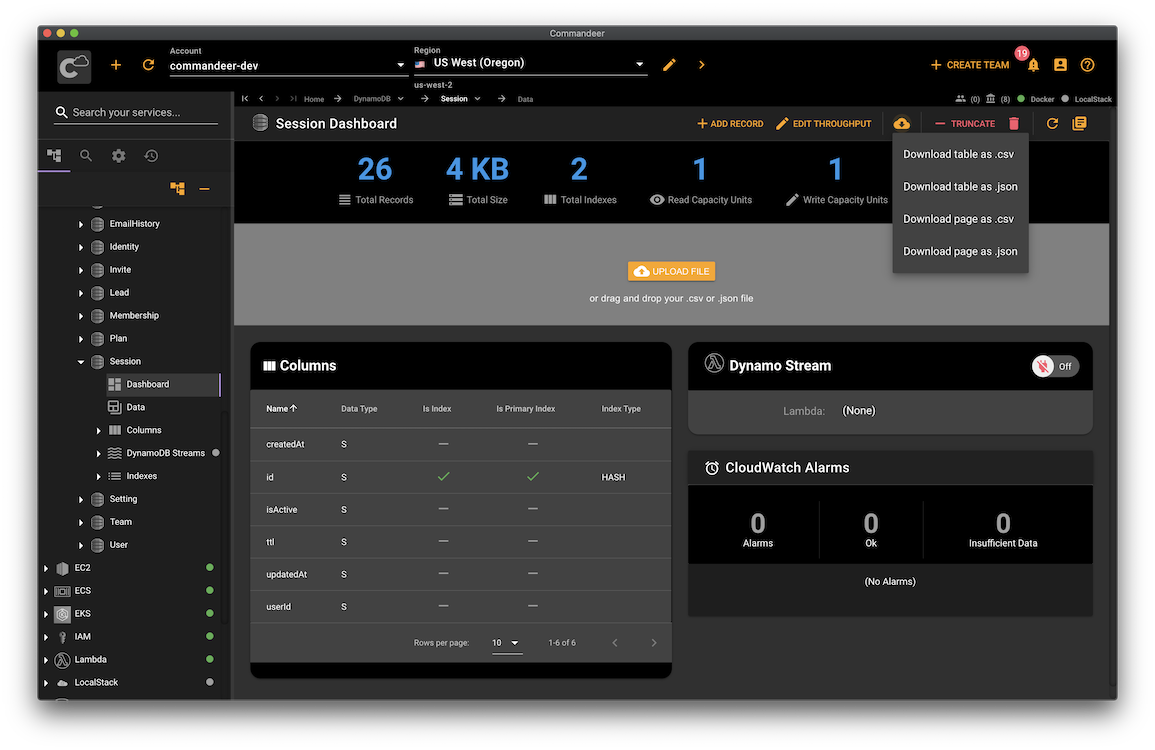
Drag and drop your CSV or JSON data instantly into your tables.
Download an entire table or the current page into CSV or JSON.
For the first time ever, truncate your tables without deleting and recreating them.
From high-level charts and table statistics down to filtering and editing all your data.
Enable or disable your DynamoDB streams. See which tables are connected to which Lambdas. Test your connections with Dynamo Stream Tester to make sure the data flows through flawlessly.
Did you know that you get charged per each table regardless of whether you use it or not? Worry not, Dynamo Region Scanner tells you exactly how many Dynamo tables you have in each region with a single button click.
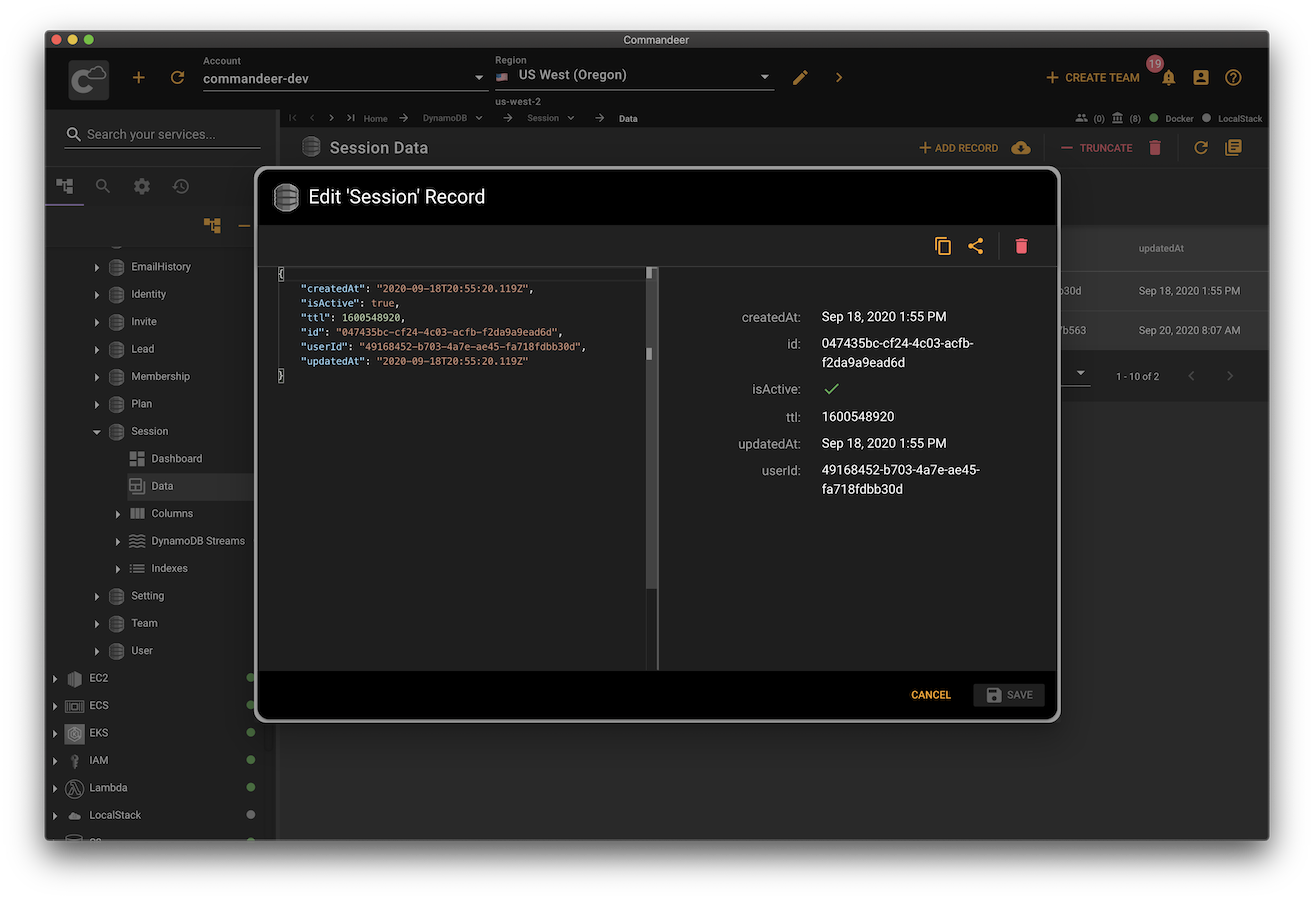
Quickly search and edit your data in a beautiful, easy to use interface.
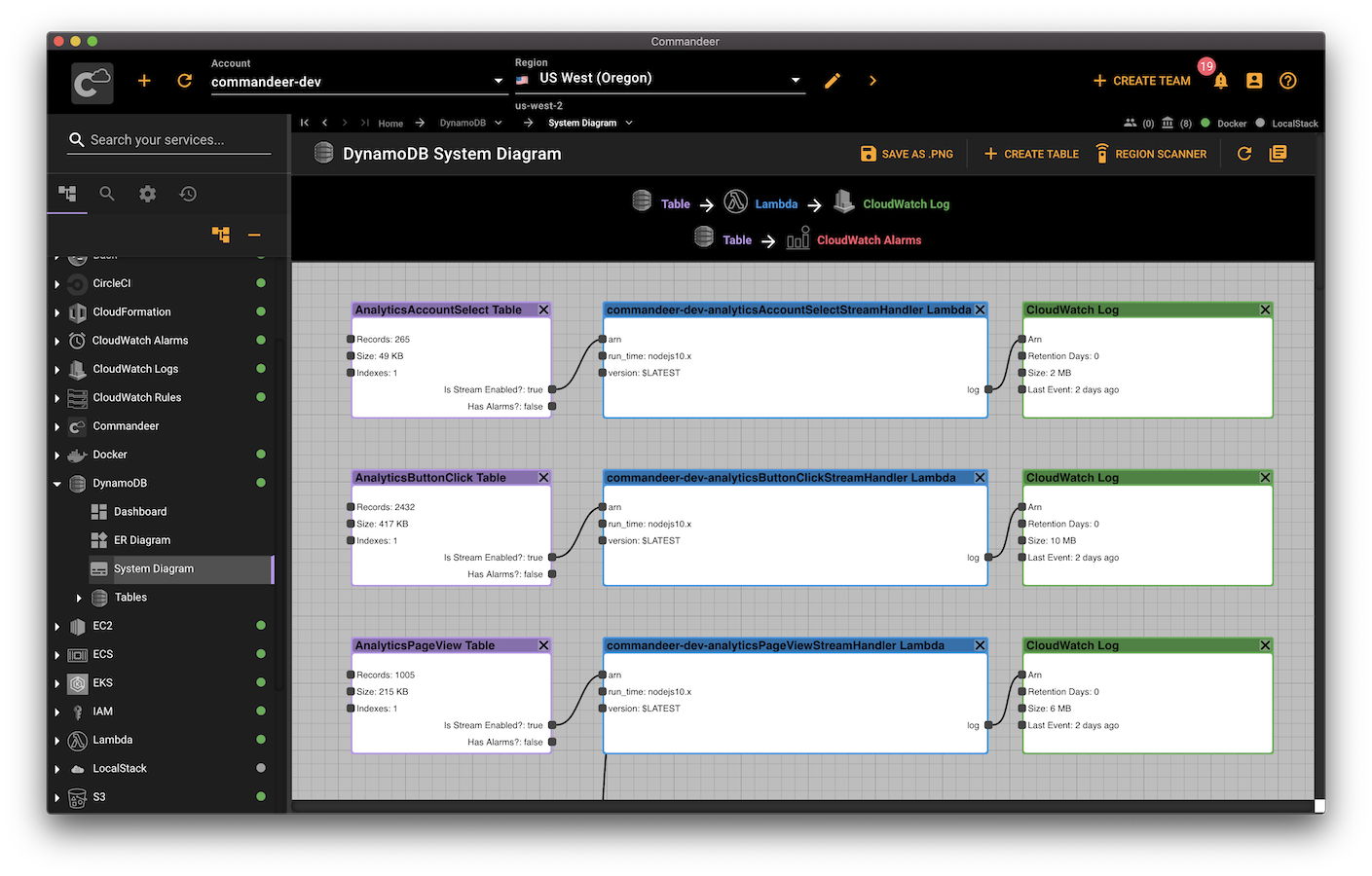
Visualize your DynamoDB like never before. View your tables, columns, connected Lambdas, CloudWatch Logs, and CloudWatch alarms all in a simple and intuitive interface.
Drag and drop csv or json files into your tables. Download your complete table or a page at a time into json or csv.